

Table of Contents
1. Introduction
If you’re a creator looking to launch or grow your online course business, choosing the right platform is an important first step. Two of the most talked-about options today are Teachable vs Podia, both are powerful tools, but built with different types of creators in mind.
Whether you’re focused on delivering in-depth educational content or selling digital products alongside your courses, this guide breaks down the key differences between Teachable and Podia to help you decide which one aligns best with your goals.
2. TL;DR: Teachable vs Podia at a Glance
| Feature | Teachable | Podia |
|---|---|---|
| Best For | Course-focused educators who need a strong learning management system (LMS) | Creators selling a mix of courses, digital downloads, memberships, & more |
| Courses & LMS | Robust LMS with quizzes, certificates, student progress tracking | Simplified LMS, ideal for short courses or beginner creators |
| Digital Products | Primarily built for courses; limited support for other digital formats | All-in-one platform: supports webinars, downloads, coaching, memberships |
| Community Tools | Basic community features (available on Pro+ plans) | Built-in community, posts, and direct messaging tools at all tiers |
| Pricing | Free plan with transaction fees + paid tiers (starting at $39/month) | Free plan with limited features + paid tiers (starting at $33/month) |
| Ease of Use | Slight learning curve, especially for beginners | Very intuitive and beginner-friendly interface |
| Built-In Email | Basic email tools with limited automation | Integrated email marketing with campaigns, automations, and broadcasts |
3. Who Each Platform Is Best For
Both Teachable and Podia cater to creators, but they shine in different areas depending on your specific needs and goals. Teachable is ideal for online course creators, whether you’re working solo or as part of a team. If your focus is on delivering structured, educational content with features like quizzes, certificates, and detailed analytics, Teachable is built to support that. It’s especially well-suited for educators who need a powerful LMS to track student progress and performance. Visit Teachable Official’s site
Podia, on the other hand, is the better choice for digital product entrepreneurs looking to sell a variety of content types. It’s also perfect for coaches who run live sessions, thanks to its built-in webinar and community tools. If you’re looking for a platform with a simple, no-code setup, email marketing, and an all-in-one dashboard for courses, downloads, memberships, and more, Podia makes the process incredibly easy, even for beginners. Visit Podia official’s site
4. Course Creation & LMS Features
When it comes to building and delivering online courses, Teachable vs Podia take very different approaches each catering to different types of creators.Teachable offers a powerful and feature-rich LMS (Learning Management System) designed specifically for structured online education. With its drag-and-drop course builder, you can easily organize your curriculum, upload video lessons, and add text or downloadable resources.
It supports quizzes, certificates of completion, and student progress tracking, which are essential for creators who want to deliver a professional, classroom-like experience. You also get options for custom domains, drip content, and setting course prerequisites, giving you full control over how and when your students access content.
Podia, by contrast, provides a lightweight and user-friendly LMS. It’s incredibly simple to set up, allowing you to upload video and text content with ease. While it lacks advanced features like quizzes and student tracking.
It shines in its ability to let you sell a variety of digital products, including webinars, downloads, coaching sessions, and online courses, all from a single dashboard. Podia also includes basic drip content, which is great for creators who want to release their content over time without dealing with complexity.
5. Sales and Monetization Tools
Both Teachable vs Podia give creators solid ways to monetize their content, but the tools they offer and how they’re delivered vary in a few important ways.
On the payment side, both platforms support Stripe and PayPal, allowing you to accept global payments with ease. They also include essential features like coupons, discounts, subscription pricing, and the ability to create upsells or bundled offers which is great for boosting revenue per customer.
However, where the platforms begin to differ is in checkout experience and affiliate capabilities.
Podia offers a more seamless and modern checkout flow, including 1-click checkout, which lets returning customers buy additional products without re-entering their details. This smoother experience can reduce friction and improve conversions especially for creators selling multiple products.
Teachable, while lacking 1-click checkout, shines when it comes to upsell flexibility and affiliate program management. If you’re on a Pro plan or higher, you can offer tailored upsell offers post-purchase and manage a full-fledged affiliate system which is ideal if you’re growing a team of partners or collaborators to help promote your content.
6. Email Marketing & Communication
When it comes to staying connected with your audience and driving engagement through email, Podia clearly offers more built-in power than Teachable.
Teachable provides only basic email notifications, such as enrollment confirmations or course completion messages.
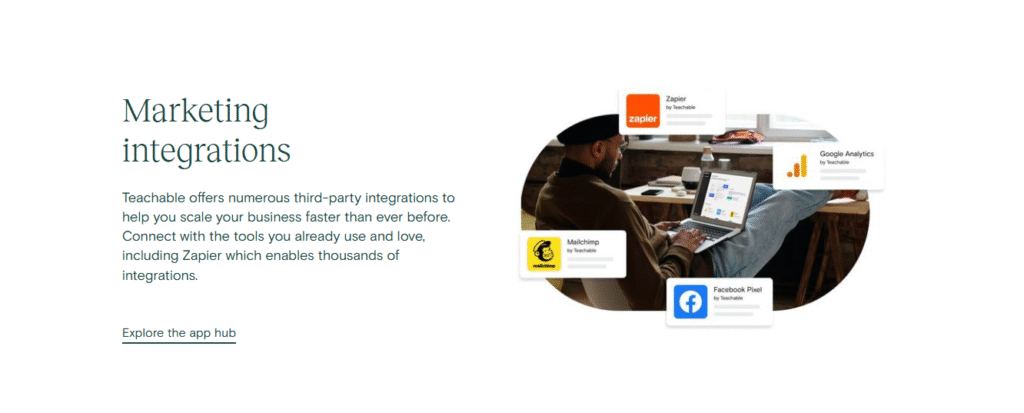
While this covers the essentials, any serious email marketing like newsletters, drip campaigns, or promotional blasts requires third-party integrations with tools like ConvertKit, Mailchimp, or ActiveCampaign. This setup works well if you’re already using a dedicated email platform, but it adds extra steps and potential costs for beginners.
Podia, on the other hand, includes a fully built-in email marketing system, right out of the box. You can create broadcast emails, set up automated campaigns, and segment your audience based on behavior or product purchases.
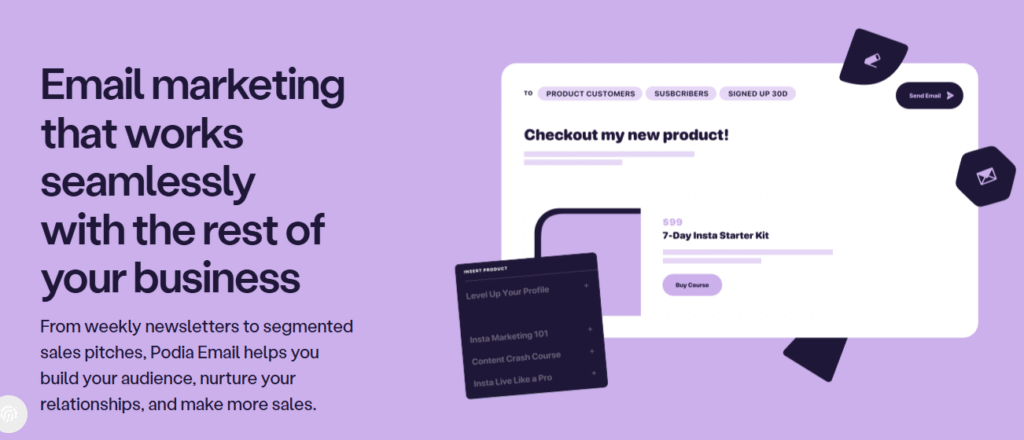
This makes it easy to nurture leads, re-engage past customers, or promote new launches, all without needing a separate email tool. For creators just starting out, Podia can effectively replace tools like Mailchimp or ConvertKit, saving both time and money.
7. Community and Engagement Tools
| Feature | Teachable | Podia |
|---|---|---|
| Student Comments | ✅ Yes | ✅ Yes |
| Community Feature | ✅ Yes (Pro plan and up only) | ✅ Yes (Included in all plans) |
| Live Chat | ❌ No | ✅ Yes (Built-in messaging) |
| Integrates with Circle | ✅ Yes | ✅ Yes |
Podia offers community tools right out of the box, even on the free and entry-level plans. You get built-in live chat, a full community space, and student interaction features with no extra setup. Teachable, by contrast, limits its native community feature to Pro plans or higher, and doesn’t offer built-in live chat, though it does allow integration with third-party platforms like Circle.
8. Analytics & Reporting
Understanding how your content performs and how your audience engages is key to growing any online business and this is where Teachable and Podia take different approaches. Teachable offers more robust analytics, especially for course creators who want to dig into student engagement. You can track lesson completion rates, monitor individual student progress, and access detailed course performance reports. It also provides sales dashboards, including insights into revenue, refunds, and payouts which gives the instructors the data they need to optimize both content and marketing efforts.
Podia, while user-friendly, offers more basic reporting. You’ll get a clear overview of sales performance, email open rates, and click-through stats, but it doesn’t offer the same level of depth when it comes to tracking student behavior or course-specific engagement.
9. Pricing Breakdown: Teachable vs Podia
| Plan / Feature | Teachable | Podia |
|---|---|---|
| Free Plan | No longer offered (free trial only) | Legacy free plan removed, now a 30‑day free trial, no forever‑free tier |
| Starter / Mover | Starter: $29/mo (annual) or $39/mo (monthly), 7.5% transaction fee, 1 product limit | Mover: $39/mo (monthly) or $33/mo (annual), 5% transaction fee, unlimited products |
| Mid‑Tier Plans | Builder: $69/mo (annual) or $89/mo (monthly), 0% transaction fees, up to 5 products, affiliate tools, email marketing, certificates | Podia has only two plans |
| Higher‑Tier Plans | Growth: $139/mo (annual) or $189/mo (monthly), 25 products, custom roles, white label, API access; Advanced: $309‑$399/mo, 100 products, dev tools, priority support, 0% fees | Shaker: $89/mo (monthly) or $75/mo (annual), 0% transaction fees, affiliate marketing, embedded checkout, unlimited products |
| Transaction Fees | Starter plan: 7.5% per sale (plus standard Stripe/PayPal fees); Builder, Growth, Advanced: 0% platform fees, only processing costs apply | Mover plan: 5% per sale; Shaker plan: 0% |
Pricing’s summary
Teachable no longer offers a forever‑free tier, only a trial. Its Starter plan is low-cost but charges a 7.5% transaction fee and limits you to one course. To access core features like affiliates, drip content, certificates, and 0% fees, you must upgrade to Builder or higher ($69+/mo). At scale, higher plans offer more robust tools and flexibility, but pricing increases significantly at each tier
Podia offers a Mover plan at $39/mo (or $33/mo annually) with unlimited products but a 5% transaction fee. The Shaker plan ($89/mo or $75/mo annually) removes transaction fees and adds higher‑level sales tools like affiliate marketing and embedded checkout, all without limits on courses or products
10. Conclusion & Final Verdict
Both Teachable and Podia are powerful platforms but which one is best for you depends on what kind of creator you are and what features you value most. Choose Teachable if you want a deep, course-focused experience with features like certificates, quizzes, student progress tracking, and detailed analytics. It’s especially well-suited for educators and instructors delivering structured learning experiences.
Choose Podia if you’re looking for an all-in-one creator platform that makes it easy to sell not just courses, but also digital downloads, webinars, coaching, and memberships. With built-in email marketing and a community feature on all plans, Podia is ideal for creators who want simplicity and flexibility in one place.
More Creator Tool Comparisons You’ll Love
Explore more in-depth platform comparisons designed to help creators, educators, and entrepreneurs choose the best digital tools:
- Document360 vs HelpDocs – Knowledge Base Showdown
A detailed comparison of two leading documentation tools to help you pick the right one for building and managing your knowledge base. - Scribe vs Tango – Best Tool for Process Documentation
Find out which tool makes documenting workflows and creating step-by-step guides faster and easier for teams and individuals. - Intercom vs Zedesk – Customer Support Platform Face-Off
This post dives into messaging, automation, and support workflows to determine which help desk solution fits growing businesses best. - Mailchimp vs ConvertKit – Email Marketing for Creators
A comparison of two popular email marketing platforms—exploring deliverability, automation, pricing, and creator-friendly features. - Survicate vs Typeform – Which Survey Tool Stands Out?
This guide breaks down design, logic, integrations, and analytics to help you choose the best survey and feedback tool for your audience.
.



Your blog is a constant source of inspiration for me. Your passion for your subject matter is palpable, and it’s clear that you pour your heart and soul into every post. Keep up the incredible work!
I just could not leave your web site before suggesting that I really enjoyed the standard information a person supply to your visitors Is gonna be again steadily in order to check up on new posts
Pingback: Circle vs Skool: Which Is the Best Platform for Paid Communities ? - Platform Adviser